
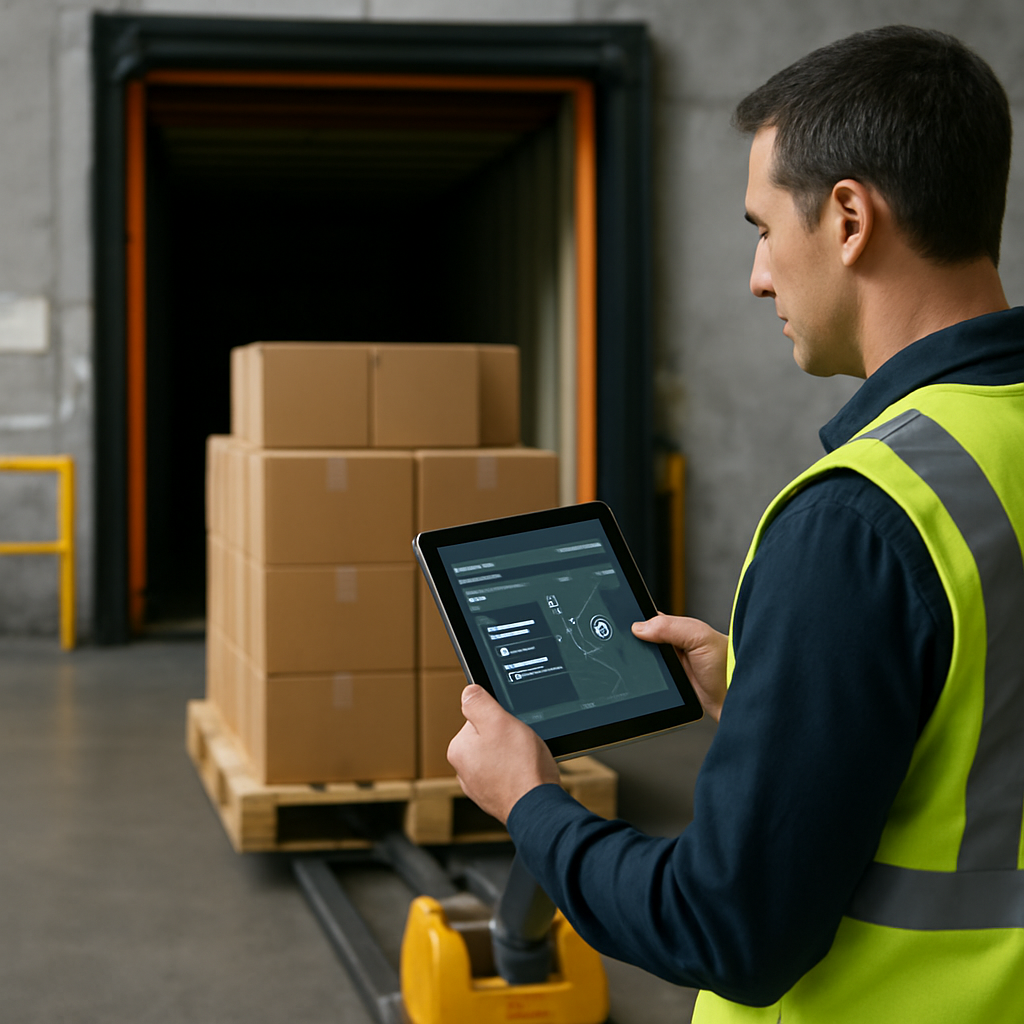
Dock door pallet tracking on Amazon is mainly about visibility at the freight and receiving stage: which pallet is booked, which carrier is handling it, which dock door it should use, and what shipment status is recorded as the load moves through Amazon’s workflow. It is not the same thing as consumer package tracking, and you should not assume it gives you a live GPS view of every pallet or truck. In some Amazon shipping flows, you can track shipment details, hand-off status, and delivery milestones; in consumer deliveries, Amazon may also show map-style tracking in some cases.
If you are shipping pallets into Amazon, the practical question is usually: who is moving the freight, what tracking details have to be entered, and how much visibility do you get after the dock-door hand-off? This guide answers that directly and also explains the limits of Amazon tracking, including pallet rules, partnered carriers, and what real-time tracking does — and does not — mean.
What dock door pallet tracking means on Amazon
In Amazon logistics, “dock door pallet tracking” refers to operational visibility around a pallet shipment at the receiving or shipping dock, not a shopper-style parcel tracker. The focus is on pallet movement, loading accuracy, appointment flow, and the hand-off between shipper, carrier, and Amazon’s facility processes.
That distinction matters. When people search for Amazon tracking, they may mean one of two very different things:
- Consumer package tracking: a shopper tracking an order in the Amazon app or website.
- Freight or pallet tracking: a shipper or seller monitoring a palletised load, carrier details, and shipment status through Amazon-related freight workflows.
Amazon’s freight and yard guidance shows that shippers can list the exact dock door to use, and that information is passed to the driver through Amazon’s systems. That makes dock-door visibility an operational control point: it helps the driver reach the correct bay, supports receiving accuracy, and reduces confusion at the facility. You can see that approach described in Amazon’s own yard operations guidance.
So, when someone says “dock door pallet tracking on Amazon”, the most accurate reading is usually:
- tracking a pallet shipment through the Amazon freight workflow;
- confirming the correct dock-door assignment;
- monitoring loading, appointment, or hand-off status;
- and verifying that the right pallet reaches the right trailer or facility.
It does not automatically mean you can watch a pallet on a live map the way some shoppers can watch a parcel driver.
How Amazon tracking works for freight, pallets, and delivery status
The tracking path for pallet shipments is different from the normal order-tracking experience a customer sees on Amazon. In a seller or freight workflow, the process usually begins with shipment setup, then carrier assignment, then tracking or reference details, and finally status updates as the shipment moves to delivery.
Amazon’s workflow materials for pallet shipments show that different information is required depending on whether you use a partnered carrier or a non-partnered carrier. For non-partnered carrier shipments, you must enter tracking details such as the PRO or freight bill number. For partnered-carrier shipments, the workflow uses a different contact-information flow. The shipment status changes after the required information is saved. Amazon demonstrates this in its Send to Amazon workflow video.
For general consumer tracking, Amazon also makes it easy to check order status on the website or app. A shopper can open the order page, select the shipment, and review the estimated arrival date and package progress. In some cases, Amazon can show a map view on the day of delivery and indicate how many stops remain. Business Insider’s coverage explains that Amazon may provide a tracking map for eligible deliveries and, in some cases, a live location-style view for the final part of the route. Read more in Amazon tracking and order status guidance.
It is important not to overgeneralise from that consumer feature. Map tracking and stops-remaining visibility are not the same as freight tracking for pallet shipments, and they are not guaranteed for every delivery. They are also not evidence that every Amazon truck or pallet route is visible in real time.
What the tracking workflow usually tells you
- Shipment setup details
- Carrier or programme selection
- Reference numbers such as PRO or freight bill numbers for non-partnered moves
- Shipment status changes after the required information is saved
- Appointment, receiving, or hand-off context
What it does not automatically tell you
- Exact GPS coordinates for every pallet
- Live truck location for every freight load
- Door-to-door movement visibility from origin to destination
- Consumer-style map tracking for all pallet shipments
Dock-door instructions, yard operations, and driver handoff
One of the most useful Amazon-specific features in the freight workflow is the dock-door instruction itself. Rather than leaving the driver to guess which bay to use, Amazon’s yard operations process can include a specific dock door that is shared through the system and surfaced to the driver through the Relay app.
That matters because a wrong door assignment can slow unloading, create appointment confusion, or send a driver to the wrong part of the building. In practice, dock-door instructions help with:
- arrival accuracy: the driver knows where to go;
- yard efficiency: less time is wasted searching for the right bay;
- receiving speed: the facility can process the load more smoothly;
- load control: the correct shipment is tied to the correct receiving location.
This is an operational workflow issue rather than a consumer tracking feature. It is the kind of detail that matters to warehouse teams, carriers, and sellers coordinating a pallet delivery. Amazon’s own yard guidance is the clearest source here, showing that dock-door assignment is part of the receiving process rather than an afterthought.
If you are coordinating freight across borders or through a third-party network, this is also where a forwarder or freight partner can help. For a broader guide to booking and coordination, see our article on choosing a shipping forwarder in China.
Amazon Partnered Carrier rules for pallet shipments
The Amazon Partnered Carrier programme is a major part of pallet shipping workflows because it changes how freight is picked up and how shipment details are handled. Amazon’s Seller Central FAQ states that partnered carriers can pick up pallets from locations without dock doors or forklifts, provided the shipment meets the programme’s stated threshold of fewer than 12 pallets. That makes the programme especially relevant for sellers who do not have warehouse equipment or a dock-level loading setup.
In practical terms, the partnered-carrier option can reduce friction for small pallet shipments, because the carrier arrangement is already built into the Amazon workflow. However, the existence of a partnered-carrier option does not mean there is a public, universal Amazon-approved LTL carrier list that applies everywhere in the same way. Amazon’s current programme documentation should always be checked for the exact carrier options available in your market and shipment type.
Here is the simplest way to think about it:
| Shipment type | Who handles the tracking details | Typical workflow effect |
|---|---|---|
| Amazon Partnered Carrier | Amazon’s workflow handles contact and programme steps differently | Pickup is arranged inside the programme rules; useful for smaller pallet shipments |
| Non-partnered carrier | Shipper enters the PRO or freight bill tracking details | More manual tracking entry, but still part of the Amazon shipment workflow |
That difference is important for sellers searching for “Amazon Partnered carrier list” or “Amazon approved LTL carriers”. The real question is not simply which carrier name is on a list, but whether the shipment is booked under Amazon’s partnered workflow or under a separate carrier arrangement that requires manual tracking entry. Amazon’s Partnered Carrier programme FAQ is the relevant reference for the rules described here.
How tracking details are entered for pallet shipments
For pallet shipments, the tracking workflow is different from consumer order tracking and different again depending on the carrier type. Amazon’s workflow source shows two distinct paths:
- Non-partnered carriers: you proceed to enter tracking details such as the PRO or freight bill number provided by the carrier.
- Amazon Partnered Carrier shipments: you use the workflow that prompts for warehouse contact information rather than the same manual tracking-entry path.
Once the required details are entered and saved, the shipment status updates in the system. That is why sellers often think in terms of “shipment summary tracking” or “tracking details” rather than a consumer-style delivery page. The system is managing the shipment record, not just the final delivery event.
This workflow matters for three reasons:
- Accountability: the shipment record matches the carrier movement.
- Visibility: the shipper can see which shipment has been marked and what information was entered.
- Exception handling: if something is delayed or mismatched, the reference number helps the carrier and shipper investigate.
For readers who want to understand what a carrier milestone means after the load leaves the dock, our guide on carrier facility tracking status explains common status language in plain English.
Can you track exactly where an Amazon package is?
Sometimes, yes — but only for eligible consumer deliveries, and even then not always. Amazon can show package progress, estimated arrival, and in some cases a map view on the day of delivery. Business Insider also reports that Amazon has offered map tracking with the driver’s location becoming visible when fewer than 10 stops remain on the route for eligible deliveries.
For a shopper, the usual process is simple:
- open the Amazon website or app;
- go to Your Orders;
- select Track package;
- review the status, estimated arrival, and available tracking view.
That is how you track an Amazon order using the tracking ID or the order page. But the important limitation is this: consumer parcel tracking is not the same as pallet tracking, and real-time map visibility is not guaranteed for every order. It applies only when Amazon makes that feature available for the specific delivery.
So if you are asking, “Can I track my Amazon truck in real time?”, the accurate answer is: sometimes for consumer deliveries, in limited cases, but you should not assume the same thing for freight or pallet shipments. If you need better visibility into delivery-driver operations or fleet-style live tracking, compare that consumer feature with dedicated fleet tools such as our guide to delivery driver tracking software.
Pallet height and loading requirements for Amazon shipments
There is no single universal Amazon-wide maximum pallet height supported by the evidence here. Amazon’s shipment preparation guidance says the maximum pallet height varies across its 3PL network, so shippers must check the destination-specific file and delivery instructions for current details. That is the safest and most accurate answer to the question “What is the maximum pallet height allowed on Amazon?”
The source material also makes clear that pallet shipments must satisfy weight, height, and stability requirements, and that palletised deliveries must fit a dock door and be able to reverse up to the loading bay doors with suitable handling equipment. In other words, pallet compliance is not just about height alone; it is about the whole load profile.
Here is the practical takeaway:
- Check the destination-specific Amazon guidance every time.
- Do not assume one height limit applies everywhere.
- Measure the pallet after wrapping.
- Confirm weight and stability, not just height.
- Make sure the vehicle and pallet can work with the receiving dock setup.
Amazon’s shipment preparation PDF also notes that palletised deliveries have to align with destination guidance and vehicle restrictions, which is why a universal number would be misleading. If you are building a pallet shipment process, that means your compliance check should happen before pickup, not after the trailer is already on the road.
The same principle applies if your freight is being coordinated by a supplier, forwarder, or seller-side logistics team. If you want a broader planning resource, you may also find our article on Amazon order delay causes useful when a shipment appears stuck or an update is missing.
What sellers and shippers should do before relying on Amazon tracking
For pallet shipments, the best results usually come from combining accurate booking data with correct carrier and dock-door information. That gives Amazon’s workflow the best chance of recording the shipment properly and routing the hand-off cleanly.
Before pickup
- Confirm whether the shipment is partnered or non-partnered.
- Verify the pallet count and any programme thresholds.
- Check the destination-specific pallet height and loading rules.
- Make sure labels, wrapping, and pallet stability are correct.
- Confirm the dock-door instructions if the workflow uses them.
During shipment setup
- Enter the correct reference details for non-partnered carriers.
- Save the shipment information so the status updates properly.
- Check whether warehouse contact details are required in the partnered-carrier flow.
- Keep the carrier reference number accessible for follow-up.
After the hand-off
- Monitor shipment status changes in the relevant Amazon workflow.
- Use carrier reference numbers to investigate delays or mismatches.
- Do not assume a consumer-style live map will be available.
- Escalate only after confirming whether the shipment is in the correct programme path.
For many sellers, the biggest mistake is expecting one tracking model to cover everything. Amazon consumer tracking, Amazon freight visibility, and pallet shipment workflows all serve different purposes. Once you separate those three, the system becomes much easier to understand.
Bottom line
Dock door pallet tracking on Amazon is really about freight visibility at the receiving or loading stage: dock-door assignment, carrier details, shipment status, and pallet hand-off. It is not the same as consumer package tracking, and it does not automatically provide live GPS visibility for every truck or pallet. If you are shipping pallets, focus on the correct carrier programme, the right tracking-entry workflow, and destination-specific pallet requirements. If you are a shopper, use the Amazon order page or app to track your parcel, but remember that live map tracking only appears in some cases.