
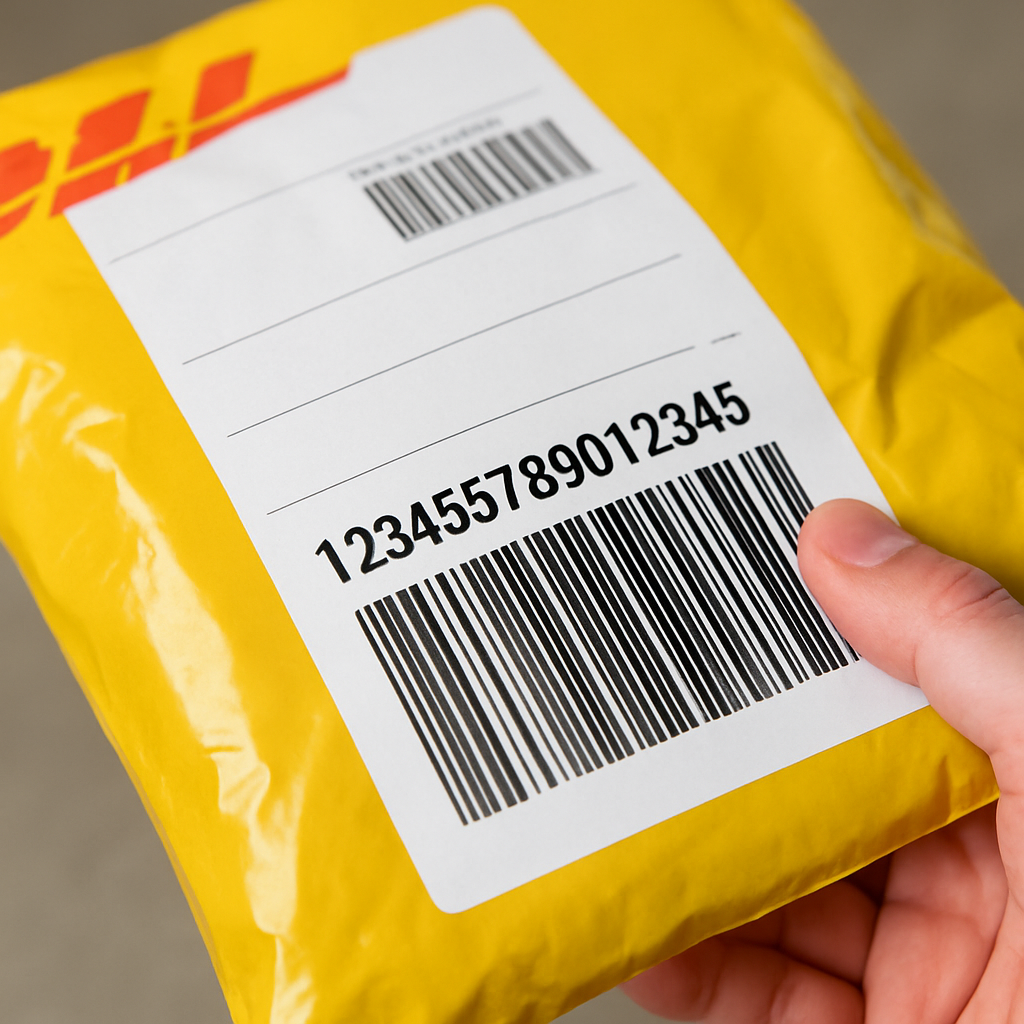
If you are asking, “Can you provide an example of a DHL tracking number?”, the short answer is: there is not just one DHL tracking-number format. DHL uses different formats depending on the product or service, so a DHL tracking number may be a 10-digit Express waybill number, an eCommerce number with letters and digits, or another service-specific pattern.
For example, a DHL Express shipment may use a 10-digit waybill number. Some DHL eCommerce numbers begin with prefixes such as GM, LX, RX, UV, CN, SG, TH, IN, HK, or MY. Other reference formats you may see in search results include 7-digit numeric-only numbers and mixed alphanumeric patterns. The key point is to match the number to the DHL service it came from, rather than assuming one universal format.
If you are trying to track a parcel right now, the safest next step is to look for the tracking ID or waybill number on the shipping label, your confirmation email, or the DHL tracking notification, then enter it into the relevant DHL tracking page.
What a DHL Tracking Number Looks Like
DHL tracking numbers do not follow one single universal pattern. The format depends on whether you are dealing with DHL Express, DHL eCommerce, or another DHL-related shipping product. That is why the same question can produce different-looking examples for the US, international shipments, and eCommerce orders.
Here are some example patterns you may come across:
- DHL Express: a 10-digit waybill number.
- DHL eCommerce: numbers that often begin with prefixes such as GM, LX, RX, UV, CN, SG, TH, IN, HK, or MY.
- Other service examples: 7-digit numeric-only numbers or mixed alphanumeric patterns shown in different tracking guides.
Examples can help you recognise the format, but format alone does not always tell you exactly which DHL service was used. If you want to know whether a number belongs to DHL Express or DHL eCommerce, the service name on the label or confirmation message matters as much as the digits themselves.
Example formats you might see
| Service type | Example pattern | What to notice |
|---|---|---|
| DHL Express | 10-digit waybill number | Usually the clearest DHL Express tracking reference |
| DHL eCommerce | GM2951173225174494 | Starts with a letter prefix rather than only digits |
| DHL eCommerce | LX000000000DE | Letter prefix plus digits and sometimes country letters |
| Other DHL-related formats | 4567810 | Numeric-only example seen in tracking guides |
| Other DHL-related formats | 2AB45678 | Mixed letters and numbers |
These are examples, not a guarantee that every shipment will use one of those exact patterns.
How Many Digits a DHL Tracking Number Can Have
There is no single digit count for all DHL shipments. The number of digits depends on the service, route, and product involved. That is why searches for “10-digit DHL tracking number” and “DHL tracking number example” often return different answers.
The most straightforward service-specific example is DHL Express, where a shipment may have a unique 10-digit waybill number. But other DHL products can use different lengths and formats, so counting digits alone is not enough to identify the service with certainty.
This matters for both USA and international shipments. A domestic U.S. parcel and a cross-border parcel may look different depending on the DHL product used. In other words, the question is not only “How many digits does it have?” but also “Which DHL service created it?”
If you are comparing a label, a marketplace order, or an email confirmation, verify the service name first. Then check whether the tracking ID matches the expected DHL format for that product.
How to Track a DHL Express Shipment
Once you have the number, the next step is to use DHL’s tracking tools. DHL’s own tracking pages allow you to track shipments by waybill number, and DHL also supports bulk tracking by email for multiple waybill numbers. One DHL tracking page is available through MyDHL+ tracking for DHL Express shipments, and DHL also provides a general Track & Trace page.
In practice, you should:
- Confirm the shipment service, such as DHL Express or DHL eCommerce.
- Check the tracking number carefully for missing digits, wrong letters, or extra spaces.
- Enter the number into the correct DHL tracking field.
- If you are handling several shipments, use the option that allows multiple waybill numbers where available.
If the tracking number does not work, do not assume the parcel is lost immediately. First recheck the format, confirm the service type, and make sure you are using the right DHL tracking page. If it still does not return results, then it is sensible to move to customer support or the shipper for confirmation.
For shipments that may involve customs or release issues, you may also find it useful to read our guide on how long customs clearance takes, especially if the parcel seems to have stopped updating.
DHL Express vs DHL eCommerce Tracking Numbers
DHL Express and DHL eCommerce do not necessarily use the same tracking-number pattern. That is why a tracking number that looks unfamiliar may still be valid — it may simply belong to a different DHL product.
DHL Express is usually associated with a waybill number, and the research-backed example most often highlighted is the 10-digit format. By contrast, DHL eCommerce often uses prefixes such as GM, LX, RX, UV, CN, SG, TH, IN, HK, or MY. Some examples are much longer than 10 digits, while others combine letters and numbers in different ways.
This is also why a search for a “WPX DHL tracking number” should be treated carefully. The supplied evidence does not clearly confirm what “WPX” refers to in DHL tracking, so it is better to treat it as a service-specific reference that needs verification rather than assuming it is a universal DHL format.
The practical takeaway is simple: if you are trying to identify the format, first identify the service. The service name usually tells you more than the number length alone.
What Common DHL Tracking Statuses Mean
Tracking numbers are only part of the picture. Many readers are really trying to understand the status updates that appear after the number is entered. Some of those updates show normal routing progress, while others point to a delay, handoff, or operational issue.
What does “shipment in transit to DHL” mean?
This generally means the parcel is still moving towards DHL’s network and has not yet fully entered DHL’s active delivery process. In other words, it is a handoff or pre-DHL-network status rather than a final delivery status.
It does not usually mean the shipment has been lost. It more often means the package is still being transferred between systems, carriers, or facilities before DHL takes over the next stage.
What does “Delivery has been arranged through a third party service delivery details are not expected” mean?
This usually suggests that a third party is handling part of the delivery journey, so DHL may not provide the same level of delivery-detail updates you would expect on a fully DHL-managed shipment. Practically, that means the tracking trail can be less detailed than a standard Express journey.
If you see this message, the key point is not that tracking has failed; it is that another delivery service may be involved in the handoff or final-mile step.
What does “DHL cannot move the shipment or attempt delivery due to a local issue” mean?
This should be treated as a problem or delay status, not a normal in-transit update. It means something local is preventing DHL from moving the parcel forward or attempting delivery. The issue could be operational, local-network related, or another disruption at the destination stage.
When you see this kind of message, the best next step is to wait for the next update, review whether any action is needed from the recipient or shipper, and check whether the shipment is tied to a customs, address, or local service issue.
If the delay appears related to duties, taxes, or a customs hold, these guides may help: customs fee causes and pay duties and taxes.
How DHL Tracking Updates Progress Through the Network
DHL shipments often move through several operational checkpoints before delivery. Those checkpoints can describe routing, customs processing, or the movement of the parcel between facilities, rather than a failed delivery attempt.
Examples of checkpoint language you may see include:
- Transferred through — the parcel is moving through a DHL gateway or hub.
- Departed facility — the shipment has left a facility and is moving onward.
- Arrived at delivery facility — the parcel has reached the facility that will prepare it for delivery.
- Clearance processing complete — the shipment has cleared the relevant customs or processing step.
- Arrived at sort facility — the parcel has reached a sorting point and will be routed onwards.
These are normal logistics milestones in many cases. They are different from a message that indicates a local issue, failed delivery attempt, or an exception that needs attention.
One useful way to interpret DHL tracking is to separate movement updates from problem updates. A movement update tells you where the parcel is in the network. A problem update tells you something is slowing it down.
Why a DHL Package May Stop Updating
Tracking gaps happen from time to time, especially during handoffs, customs review, or routing between facilities. A parcel that has paused on one status is not automatically lost.
Common reasons for a temporary stall include:
- handoff between carriers or facilities
- customs processing or clearance checks
- local operational disruption
- waiting for the next scan at a facility
If the shipment is still moving through the network, the update may simply appear later than expected. However, if the status specifically points to a local issue, a customs problem, or a third-party delivery arrangement, you should treat it as a clue that additional processing may be needed.
For readers dealing with a customs-related pause, it may also help to understand the broader process through our article on how long customs clearance takes.
Quick answers to common DHL tracking questions
What do tracking numbers look like?
They can be numeric only, alphanumeric, or prefix-based depending on the DHL service. A 10-digit waybill number is common for DHL Express, while DHL eCommerce often uses letter prefixes such as GM or LX.
Is a 10-digit number always a DHL tracking number?
Not always. A 10-digit number can be a DHL Express waybill number, but digit count alone does not identify every DHL service. Confirm the service name alongside the number.
Can I track multiple DHL waybills at once?
Yes. DHL’s tracking tools support bulk tracking by email for multiple waybill numbers, which is useful if you are following several shipments at the same time.
What should I do if my DHL number is not recognised?
Check whether you have the right DHL product, re-enter the number carefully, and make sure you are using the correct tracking page. If the number still is not recognised, confirm it with the shipper or the sender before escalating further.
If you are comparing shipping modes more broadly, you may also find our explanation of courier shipping differences useful, especially if you are trying to understand how DHL Express fits into a wider logistics workflow.
Bottom line
A DHL tracking number is not one fixed format. The clearest example for DHL Express is a 10-digit waybill number, but other DHL services can use different patterns, including alphanumeric prefixes and longer reference formats. The best approach is to identify the DHL service first, then enter the tracking number into the correct DHL tracking tool.
If your parcel is showing a status like “shipment in transit to DHL”, that usually means it is still on the way into DHL’s network. If the message points to a third-party delivery handoff or a local issue, treat it as a delivery exception or delay, not as a normal progress update.
In short: check the format, confirm the service, use the official DHL tracking page, and then follow the status carefully if the shipment appears to be delayed.