
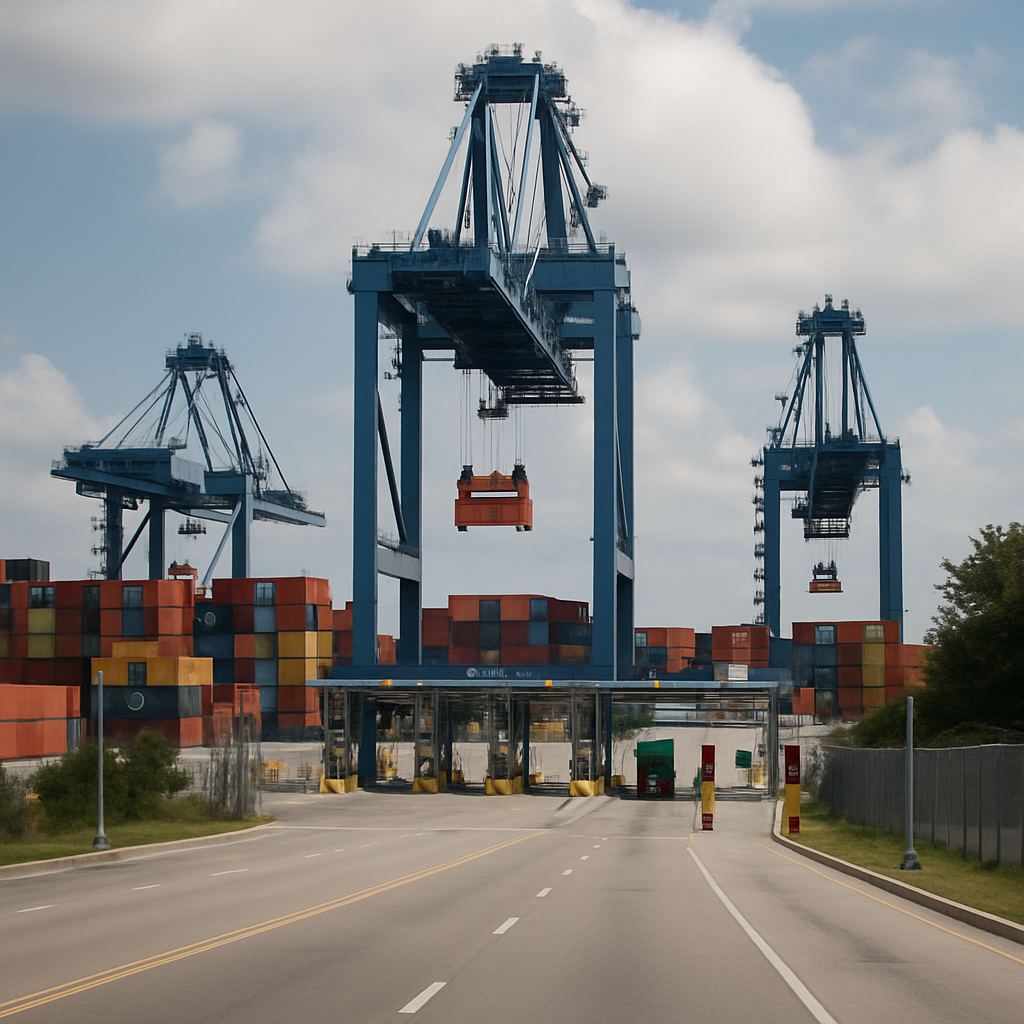
Bayport Container Terminal is a Port Houston container terminal used for import and export cargo in the Houston area. If you are collecting or delivering a container, treat the address, gate, appointment, cargo release, and current operating status as separate checks. The address shown on Port Houston’s Gate Information page is 12621 Port Road, Pasadena, TX 77586, but other listings may show 12619 Port Rd, Seabrook, TX 77586. Use the address and entrance shown on your current interchange order, appointment, or carrier/terminal instructions, and confirm the routing before you depart.
Quick Reference
- Official gate information: Port Houston Gate Information
- Official Lynx portal: Shipping Information & Lynx Portal
- Official vessel schedules: Schedules & Arrivals
- Official gate address shown by Port Houston: 12621 Port Road, Pasadena, TX 77586
- Third-party map listing: Waze lists Bayport Container Terminal at 12619 Port Rd, Seabrook, TX 77586
- Use before travelling: Confirm the correct terminal, gate, appointment, release status, and any hold on your shipment
For a practical map reference, Waze lists Bayport Container Terminal at 12619 Port Rd, Seabrook, TX 77586. That can be useful as a secondary map listing, but it should not override the current terminal instructions on your booking or release documents. If the address on your paperwork and the map pin do not match, follow the shipment-specific instructions and verify with the responsible carrier or terminal contact before setting off.
If you need a general contact route for current terminal information, Port Houston’s gate-information page is the best starting point in the supplied research, and its Gate Information snippet also shows phone 713-670-2400. Use that official resource for live gate notices and operating information rather than relying on a static directory listing.
Where Is Bayport Container Terminal?
Bayport Container Terminal is associated with Port Road in the Houston Ship Channel area, serving the Seabrook and Pasadena industrial corridor. Address listings differ because marine terminals can have separate gate, office, and facility references, and those references are not always the same as a navigation pin. For a driver, the instruction on the interchange order, appointment confirmation, or carrier release should take priority over a general web map result.
A practical way to avoid the wrong entrance is to confirm three things before you leave: the terminal named on the booking or interchange, the address shown on the current official gate-information page, and the gate or entrance identified on your shipment paperwork. If any of those conflict, stop and confirm with the carrier, forwarder, or terminal contact before dispatching the truck.
It is also worth checking that you are dealing with Bayport and not another Houston-area container terminal. The Bayport name appears in several nearby listings, so the safest approach is to use the official gate information and the current booking reference rather than a memory of a map pin.
What Is the Bayport Terminal Used For?
Bayport is a container terminal: it receives containers from vessels, stores them in the yard, and hands them over for onward transport by truck or rail. It also receives export containers from shippers and drayage carriers for loading onto scheduled vessels. The work around the terminal includes vessel operations, yard handling, gate moves, documentation checks, and coordination with ocean carriers.
For smaller consignments, a terminal visit is usually not the first step. LCL cargo is commonly handled through a consolidator or container freight station before or after it moves in a shared container. That distinction matters because a container terminal like Bayport is generally part of the movement of a full container, not the direct collection point for every shipment type.
Who Owns or Operates Bayport Container Terminal?
For day-to-day shipping purposes, the useful distinction is between the terminal operator, the ocean carrier, and the cargo owner. The terminal handles yard and gate processes; the shipping line controls its bill of lading, release procedures, and vessel booking; and the importer or exporter remains responsible for ensuring that documents, payments, and instructions are in order.
On the supplied official resources, Bayport is presented as a Port Houston terminal facility, and Port Houston is the authoritative source to use for gate information, schedules, and the Lynx portal. If you need to know who should resolve a specific issue, use the rule of thumb below:
- Port Houston resources for gate information, terminal notices, schedules, and portal access;
- the ocean carrier for booking status, release conditions, bill of lading issues, and vessel-related questions;
- the freight forwarder or customs broker for documentation, clearance, and coordination questions;
- the drayage provider for truck dispatch, appointment timing, and pick-up or delivery execution.
If a legal ownership, lease, invoice, or operational responsibility matters to a transaction, verify it directly with the relevant official source rather than relying on a directory entry or a third-party summary.
Bayport Container Terminal Tracking and Lynx Access
Container tracking at a terminal is not the same as vessel tracking. A vessel may be alongside or have departed while a particular container is still awaiting discharge, customs processing, a carrier release, or a gate-ready status. Use the tracking tools and references supplied by your ocean carrier and terminal account, rather than assuming that an arrival notice means the box can be collected.
For live container information, use Port Houston’s Shipping Information & Lynx Portal. That is the most direct official route in the supplied research for Bayport-related container information. Access and the information visible may depend on your account permissions and your relationship to the booking or bill of lading.
Have the right reference ready: normally a container number, bill of lading number, booking number, or carrier reference. Then check for holds, availability, last free day, and release status, and pass the same information to the drayage provider. If the portal does not show the container, ask the carrier or forwarder whether the reference, party details, or release status need to be corrected.
Do not use the portal as a substitute for carrier release. A container can be listed in a system but still not be ready for collection if there is a hold, a missing document, or a pending release instruction.
Gate Hours, Gate Cameras, and Appointments
Do not plan a move around a generic published schedule alone. Gate hours, appointment requirements, holiday notices, weather, congestion, equipment outages, and other operating changes can all affect whether a driver can complete an import pick-up or export drop-off. The safest place to check current information is Port Houston’s Gate Information page before dispatching a truck.
Before sending a driver, confirm:
- the current gate information and any holiday or notice update on the official page;
- that the correct transaction has an appointment, if required;
- that the container is physically available and released;
- the assigned terminal entrance and driver instructions;
- the carrier’s empty-return or export-receiving rules; and
- current gate-camera or traffic information, where available.
Gate cameras can help a dispatcher judge congestion, but they do not confirm cargo availability or replace an appointment. A queue can also change quickly after the image is viewed, so treat camera views as a planning aid only.
If you are checking whether Bayport is open for your move, the gate-information page should be your first stop. Use any static article, directory listing, or map pin only as background context, not as the operating authority.
What Shipping Lines Use Bayport?
Carrier calls and service rotations can change, so there is no dependable permanent list to use for a live booking decision. The safest method is to check the ocean carrier’s current vessel schedule, booking confirmation, or arrival notice, then confirm the named terminal. This matters because the Houston area has more than one container facility, and a container’s terminal can differ from the port named in a sales contract or bill of lading.
For current arrivals and vessel movements, use Port Houston’s Schedules & Arrivals page. That is the best official starting point in the supplied research for verifying the vessel, date, carrier, and terminal before you send a container to Bayport.
For imports, your carrier or freight forwarder should be able to confirm the terminal, vessel discharge status, release requirements, and last free day. For exports, confirm the receiving window and cut-off before sending the container to Port Road. A vessel appearing on the schedule does not by itself mean that an individual container has been discharged, released, or made available.
What Is Bayport V136?
The question about Bayport Container Terminal V136 appears in search results, but the supplied research does not verify what that code means or establish a separate address for it. Do not guess that V136 is a different terminal or a separate street address.
If V136 appears on your booking, appointment, or carrier paperwork, treat it as a code that needs to be matched to the current official instructions. The safest approach is to confirm it with the carrier, terminal, or the current booking or appointment reference before travelling. If the code is not explained on your documentation, ask for the exact gate and address in writing.
How to Confirm the Correct Bayport Gate, Terminal, and Direction Before Dispatch
If you are using a map or directions search, work through the problem in this order:
- Confirm the terminal name on the booking, interchange, appointment, or arrival notice.
- Check Port Houston’s official gate-information page for the current operational reference and address.
- Compare the assigned gate or entrance on your paperwork with the official resource and with the terminal instructions.
- Use a map only as a routing aid, not as the final authority.
- If the address, entrance, or terminal code conflicts, contact the responsible carrier, forwarder, or terminal before dispatch.
This approach is especially important because Bayport-related searches often involve address, directions, map, and phone-number intent together. A driver needs the right entrance, not just a nearby location pin.
A Practical Checklist Before You Go to Bayport
- Match the container number and bill of lading to the carrier’s release information.
- Confirm that the container is available, not merely that the vessel has arrived.
- Check for customs, carrier, or documentation holds.
- Verify the gate appointment, current hours, and exact Port Road entrance against the official gate-information page and your shipment instructions.
- Give the driver the correct equipment, transaction type, and reference numbers.
- Record the last free day and keep the carrier, broker, forwarder, and drayage provider aligned.
- If the address on your paperwork differs from a map listing, pause and confirm which one controls the move.
- Use the Lynx portal and Schedules & Arrivals page as needed for live container and vessel checks.
Bayport planning is mostly about verification rather than guesswork. Use the Port Road location only as a routing starting point, and rely on current carrier and terminal instructions for the gate, appointment, release, and collection or delivery process that applies to your container.